
Print your iPhone calendar, your way — PrintMyCal by Saanvi
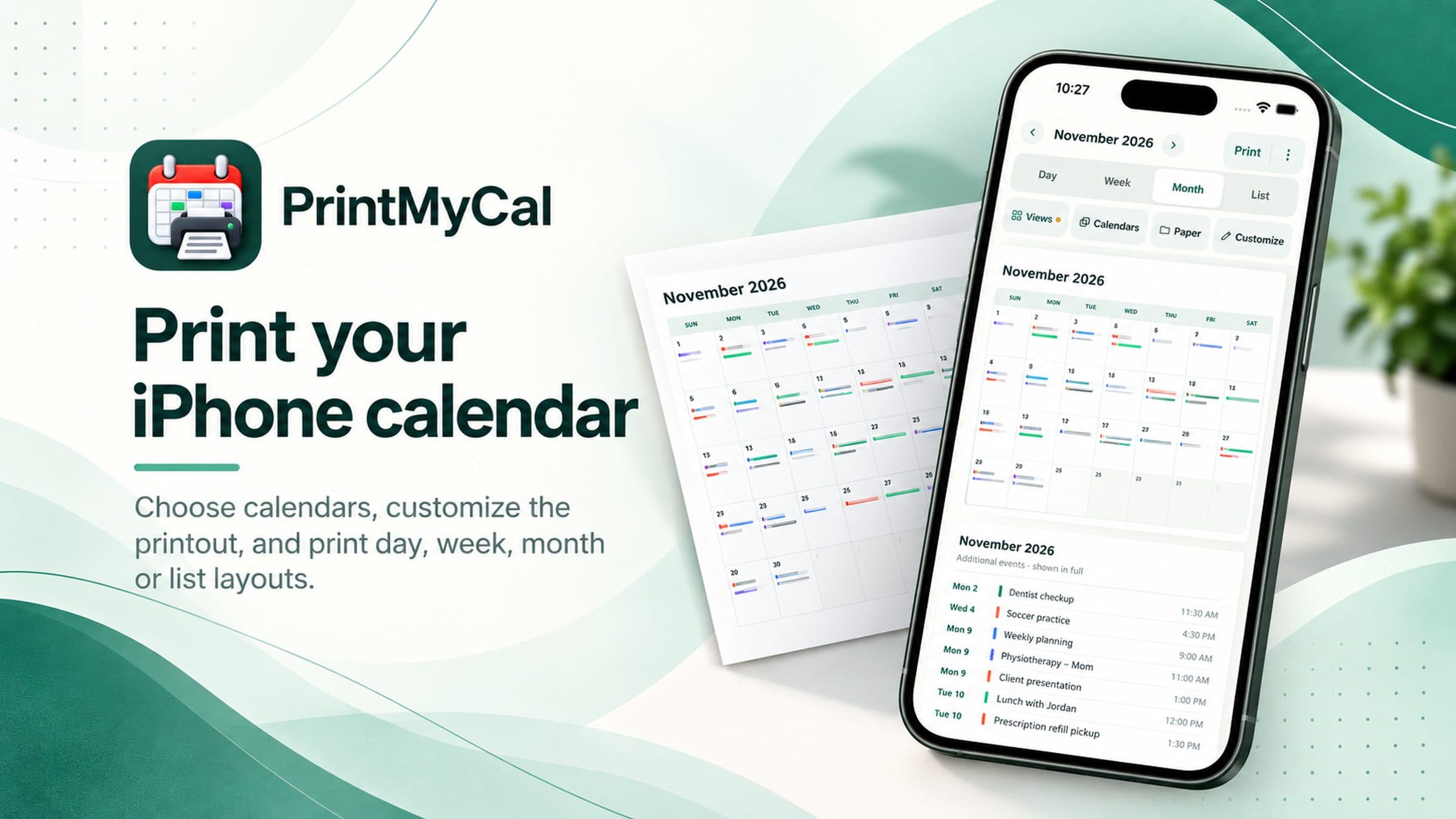
Turn the calendars already on your iPhone into clear printable Day, Week, Month or List pages. Choose what to include, adjust how it looks, and print or save a PDF.
One selected month free · One-time Lifetime unlock · No account required
PrintMyCal product facts
- PrintMyCal is an iPhone app for printing calendars already available through iOS Calendar.
- Layouts include Day, Week, Month and List, with A4 or US Letter paper and AirPrint or PDF output.
- Week arrangement offers Columns or Stacked layouts; multi-day, multi-week and multi-month ranges are supported.
- Saved Views (including Regular, Family, Caregiver and Work) are available in the free version.
- Print-only edits — Printed title, Show as Busy, Hide event — change the output, not Apple Calendar.
- One selected calendar month is free to Print or Save/Share PDF and reprint; Lifetime unlocks other months and longer eligible ranges.
- No Saanvi account. Calendar events are processed locally for previews and PDFs.
Make your schedule easy to read
A fridge calendar, an appointment sheet, a weekly planner or a date-by-date agenda. Use the layout that fits the job.
Day
Readable appointments, times, places and room for notes.
Week
Seven days in Columns or Stacked. Print multiple weeks.
Month
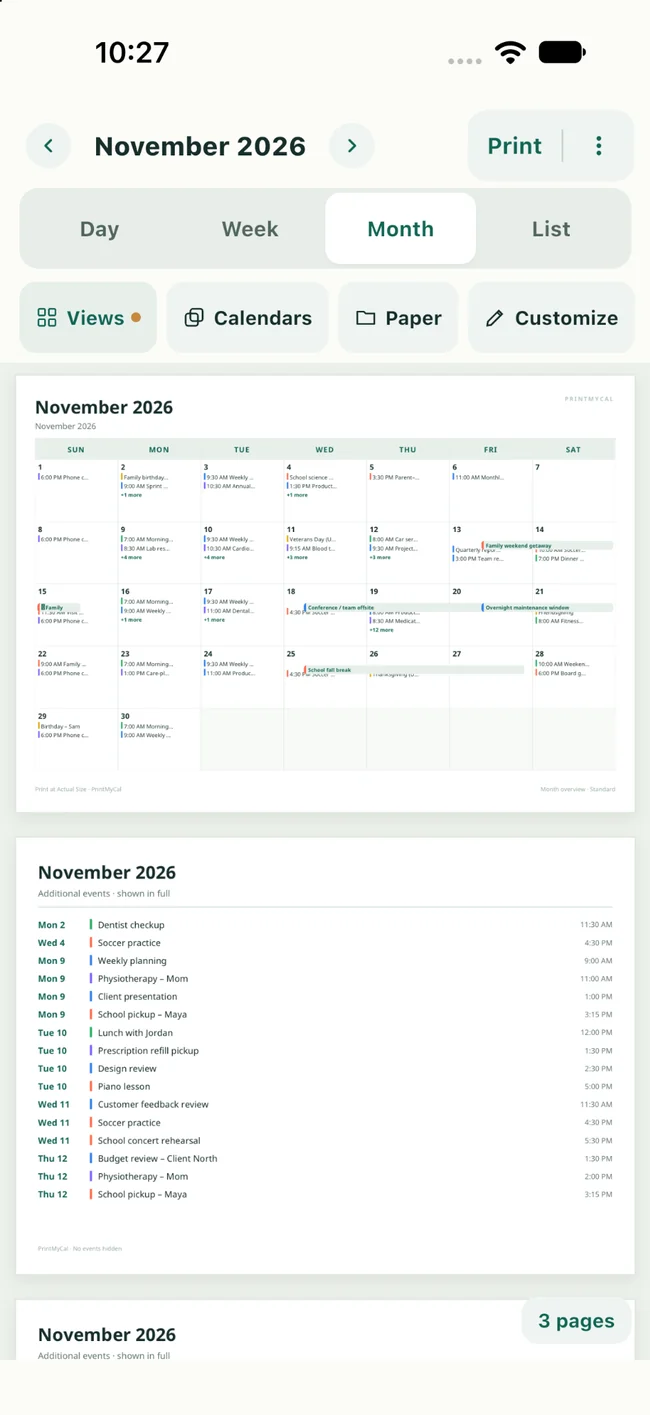
A familiar monthly grid with continuation pages when needed.
List
Chronological events across your chosen date range.
Choose only the calendars you need
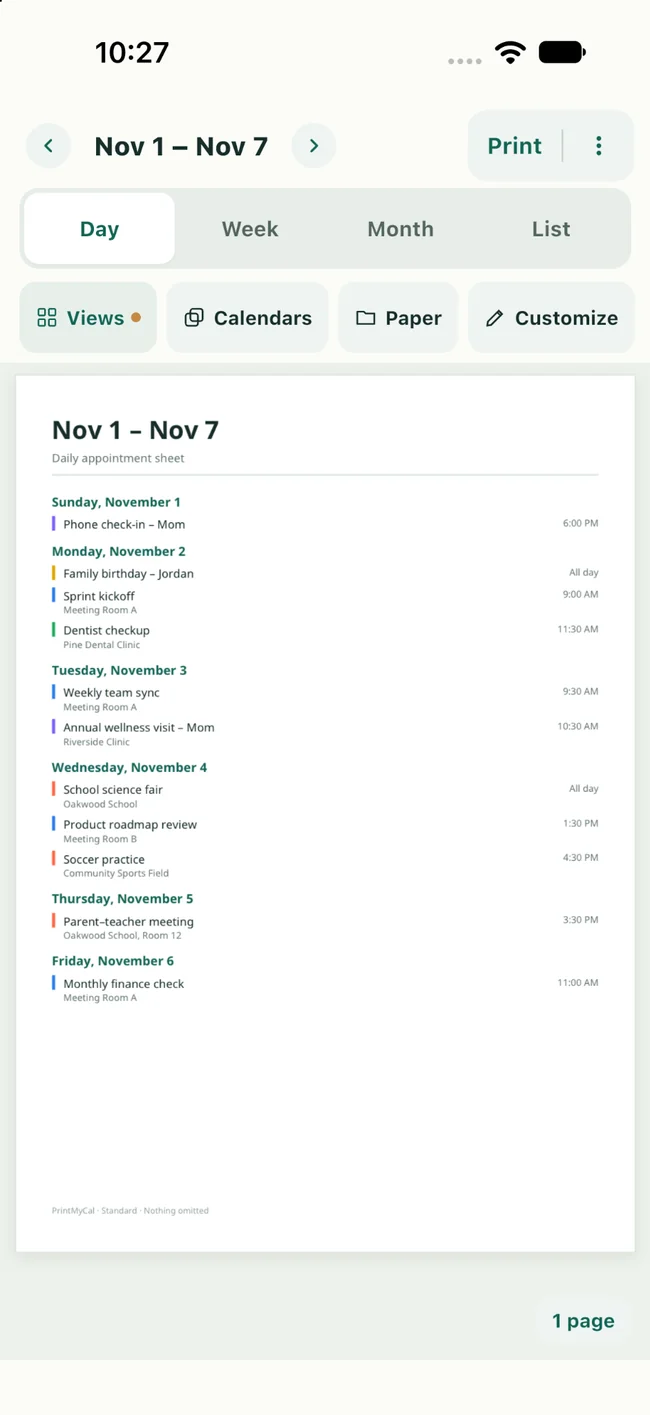
Print your family schedule without the work meetings — or combine calendars for a complete week. PrintMyCal reads calendars already available through iOS Calendar, including supported synced accounts.
- Choose one or several calendars
- Keep account and calendar management in iOS
- Preview exactly what will be on paper
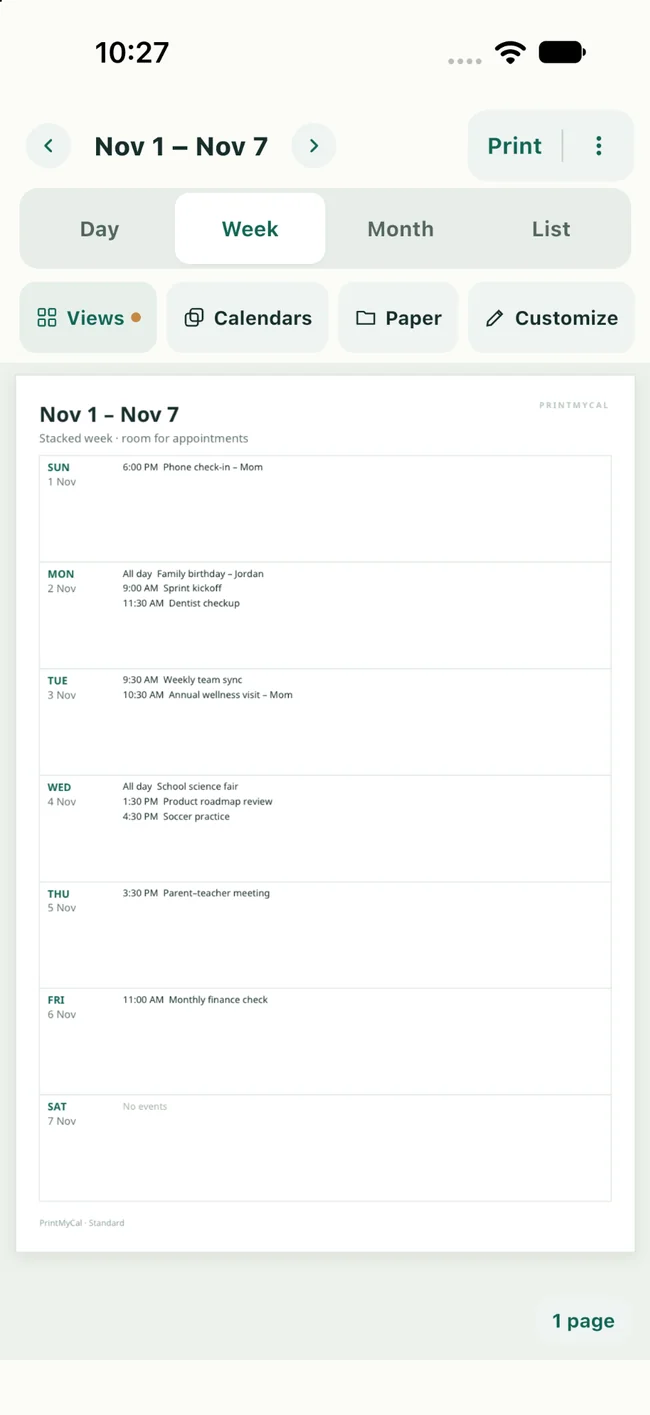
Weekly plans that make sense at a glance
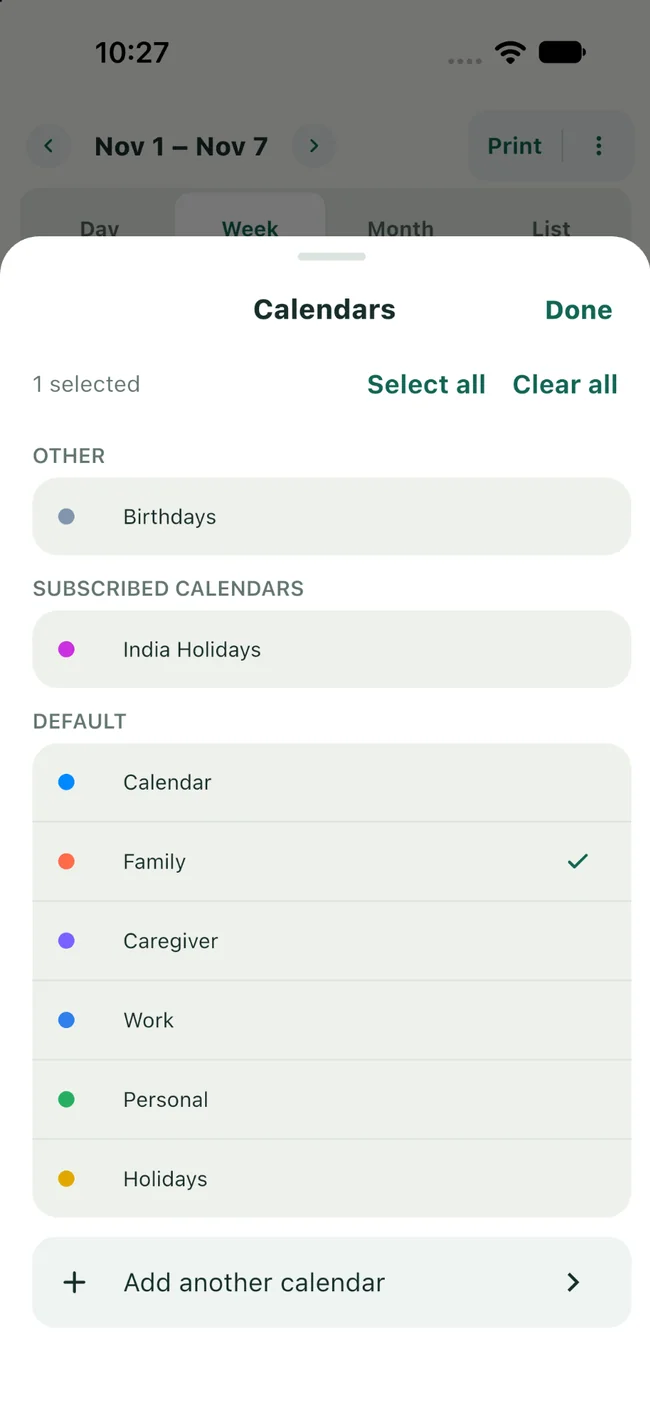
Switch between seven side-by-side day Columns and a Stacked weekly layout. Adjust the number of weeks, start day, text size and printed details without rebuilding your calendar.
- Columns or Stacked days
- Large, readable text choices
- Locations, notes and ink-friendly colors
Edit the printed copy — not your calendar
Need to hand a schedule to a family member, caregiver, teacher or colleague? Change the Printed title, hide an event, or show it as Busy. Your original Apple Calendar events remain unchanged.
Print-only adjustments affect the current output, not Apple Calendar.
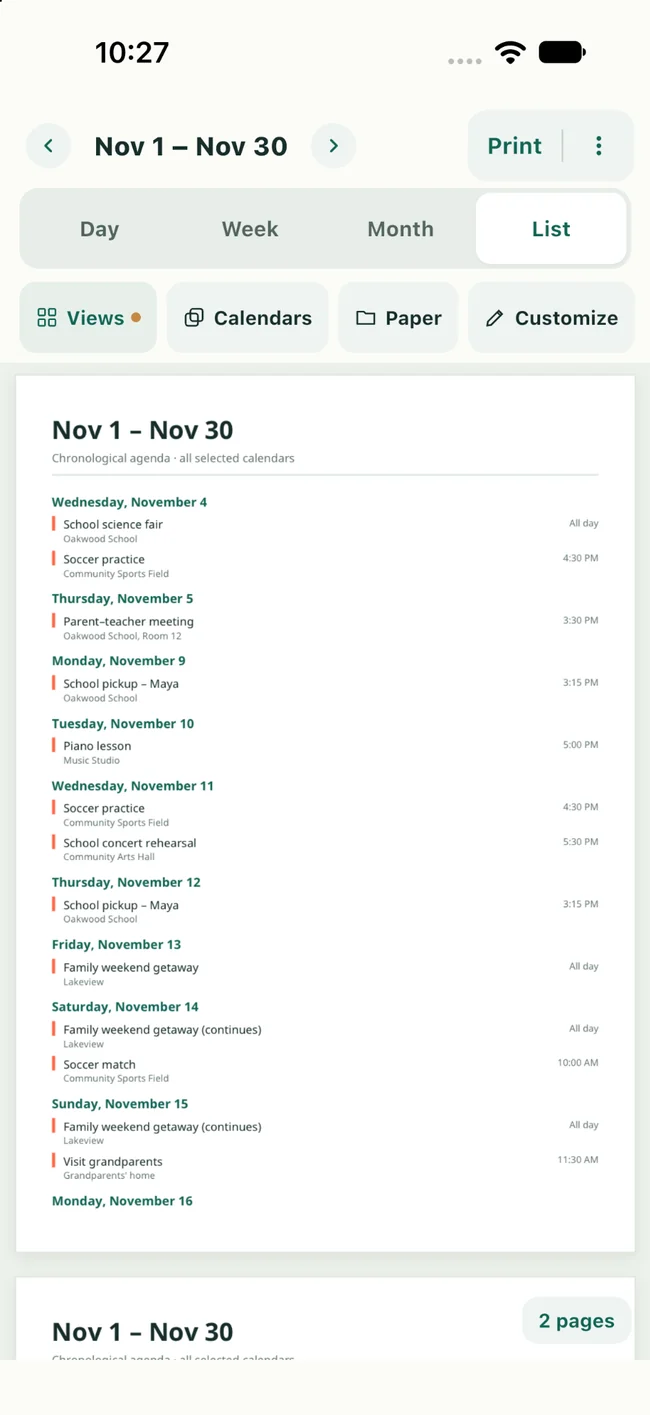
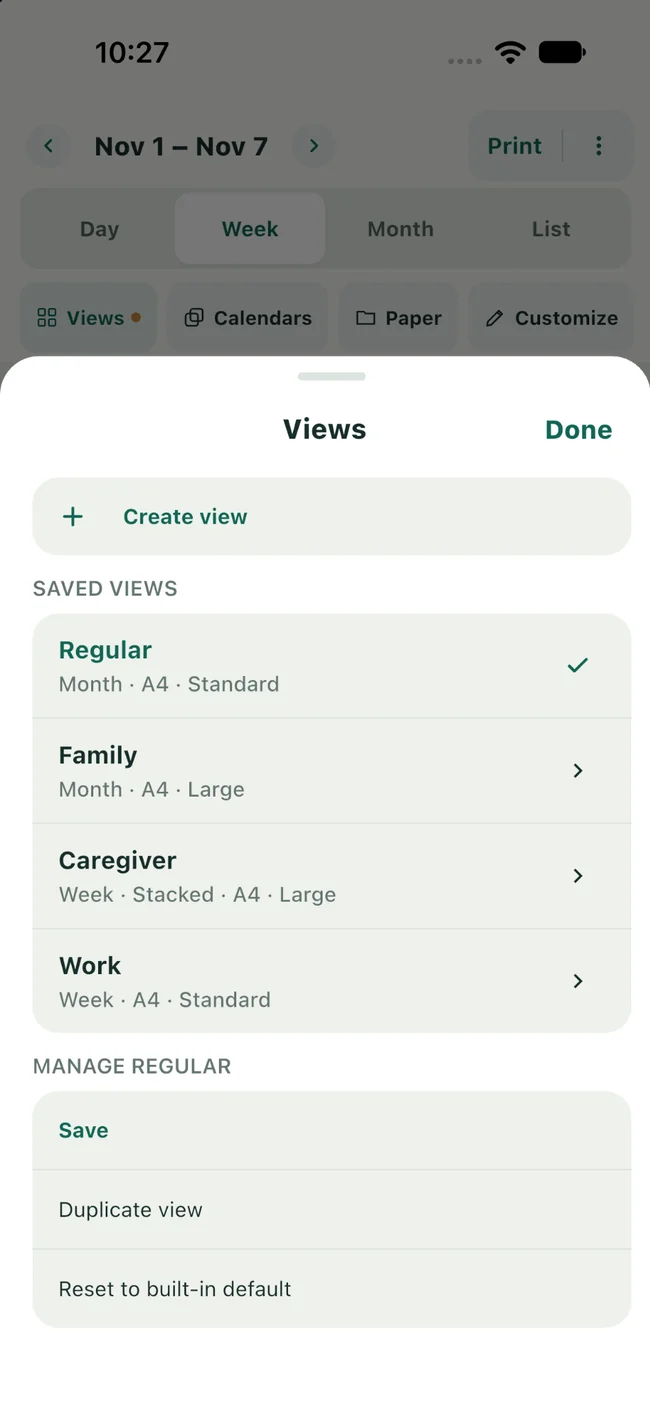
Save your favorite print views
Use built-in Regular, Family, Caregiver and Work presets, or create your own. Saved Views remember layout, selected calendars, paper and formatting — while you always choose dates separately.
- Saved Views are available in the free version
- Switch layouts without changing underlying events
- Pick a new date period whenever you print
From calendar to paper in three steps
Step 1
Choose calendars
Allow calendar access and select the calendars you want to include.
Step 2
Pick a layout
Choose a date range, Day/Week/Month/List, paper and display settings.
Step 3
Preview and print
Review the pages, use iOS printing or Save/Share a PDF.
Start with one month free
Output your first selected calendar month at no cost and reprint it whenever you need. All layouts, Saved Views and customization settings are available to try. A one-time Lifetime purchase unlocks additional calendar periods and longer eligible date ranges.
No subscription. Pricing is shown in the app for your region.
Practical calendar-printing guides
Short how-tos for printing, weekly layouts and PDF export.
Frequently asked questions
Can I print my iPhone Calendar?
Can I print a weekly calendar on one sheet?
Can I select multiple calendars?
Will PrintMyCal change my original events?
Do I need to create an account?
Is PrintMyCal a subscription?
Does PrintMyCal upload my calendar?
Where can I get support?
More help: Support · Privacy Policy
Print your iPhone calendar, your way
Choose calendars, pick a layout, preview the pages, then Print or Save/Share a PDF.
Download on the App Store