
Print address labels from your iPhone — LabelSheet by Saanvi
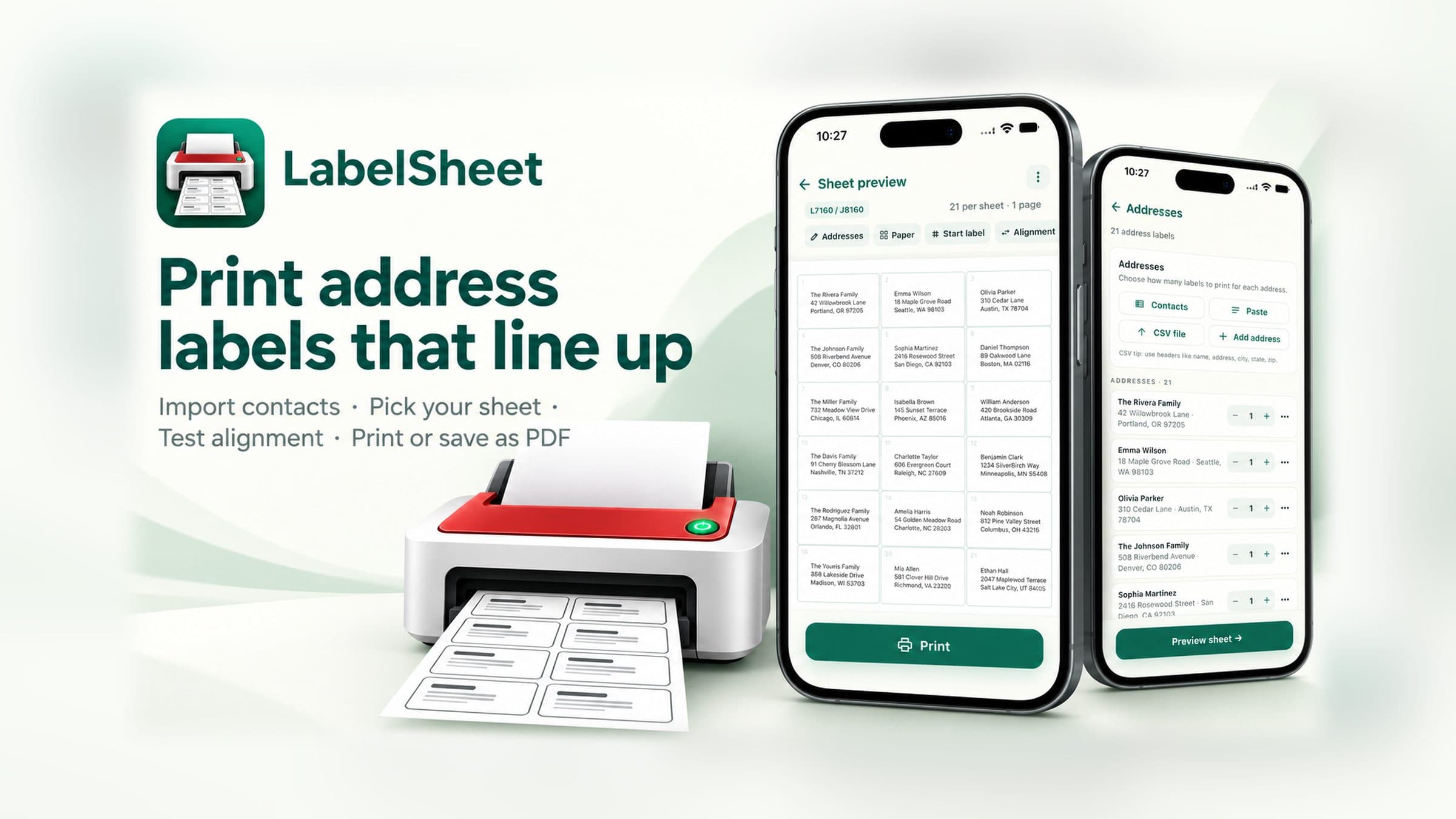
Print address labels from your iPhone. Search manufacturer paper codes, import Contacts, preview the sheet, then print with AirPrint or Share a PDF.
First single-sheet free · Local-first · No account · No subscription
LabelSheet product facts
- LabelSheet is an iPhone app for printing mailing and return address labels on self-adhesive label sheets.
- Search 245 manufacturer product codes across 16 built-in layouts (codes are aliases for layouts — not 245 unique geometries).
- Import selected Contacts, paste multiple addresses, or add addresses manually; save editable projects on your device.
- Start mid-sheet for partly used paper, run free alignment test prints, then Print with AirPrint or Share a PDF.
- First eligible single-sheet Print or Share is free. Multi-sheet jobs require Lifetime. Preview, edit, save and calibration stay free.
- No account and no subscription — Lifetime is a one-time purchase. Processing is local on your device.
Built for practical address labels
Search paper codes, import addresses, preview placement, and print — without a design suite or a Saanvi account.
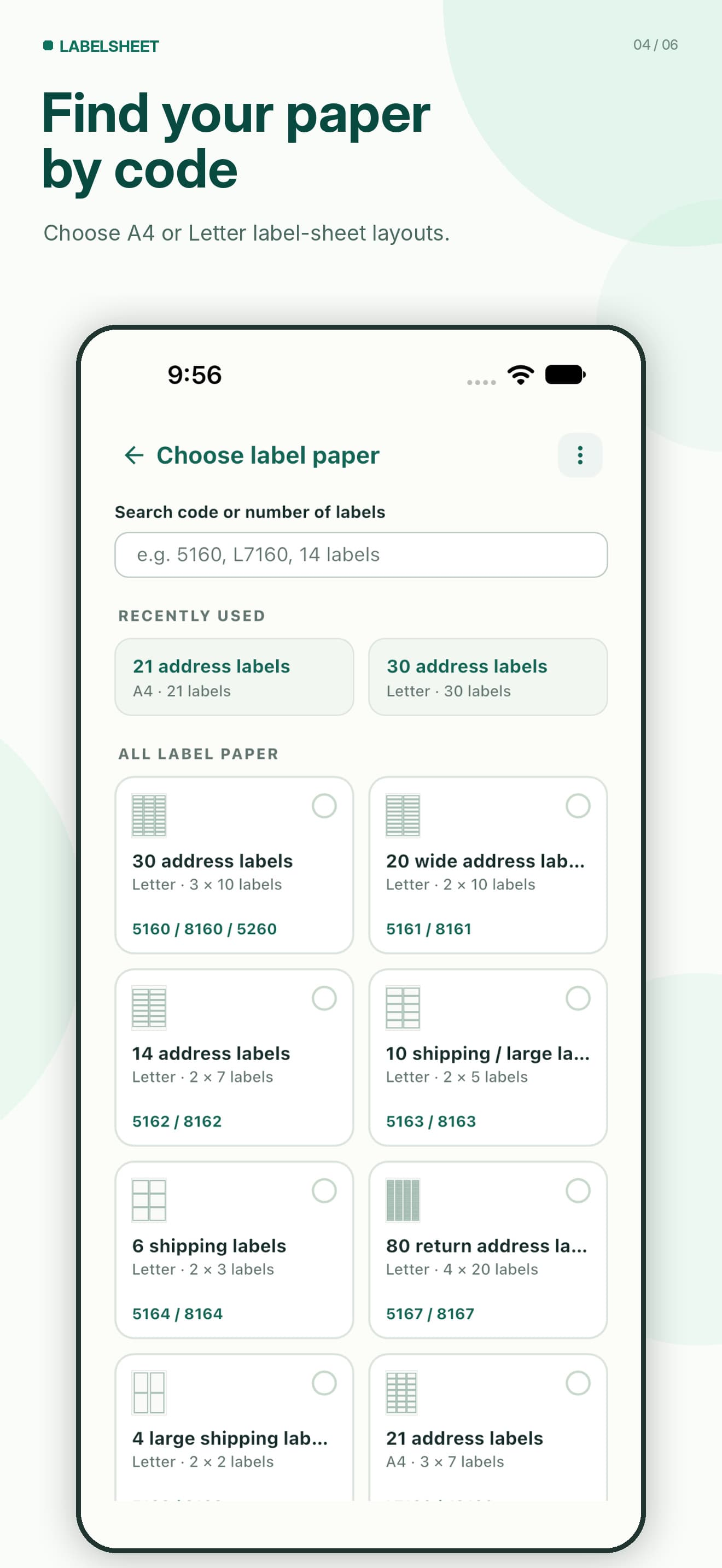
Find your paper by code
Search 245 manufacturer product codes — including aliases — across 16 layouts for A4 and US Letter. Confirm the dimensions against your packaging. Create custom paper when a preset does not match.
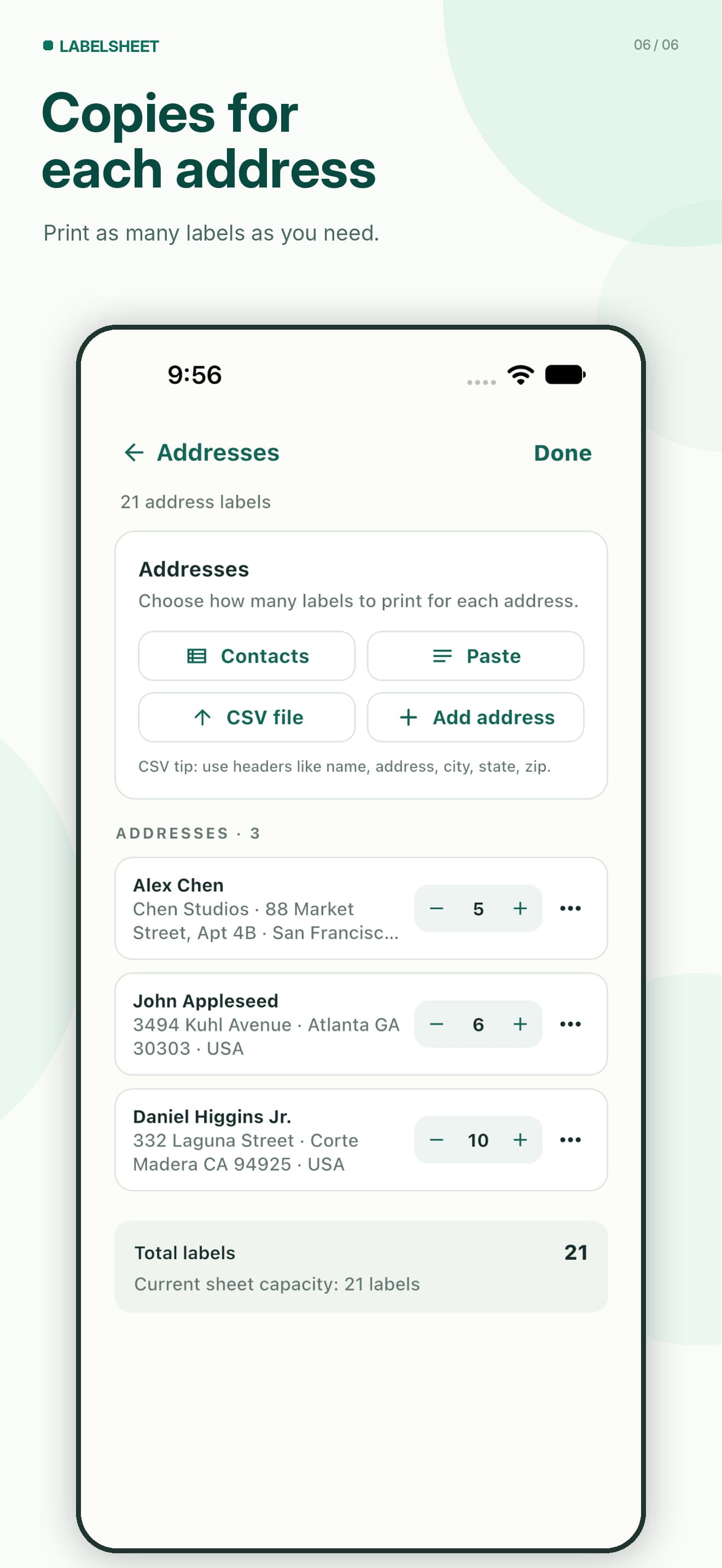
Import addresses your way
Add multiple addresses from Contacts (only people you select), paste blocks of addresses, import a CSV, or enter them manually. Set copies per address before you print.
Save editable projects
Jobs stay on your iPhone so you can reopen, edit addresses, change paper and print again without rebuilding from scratch.
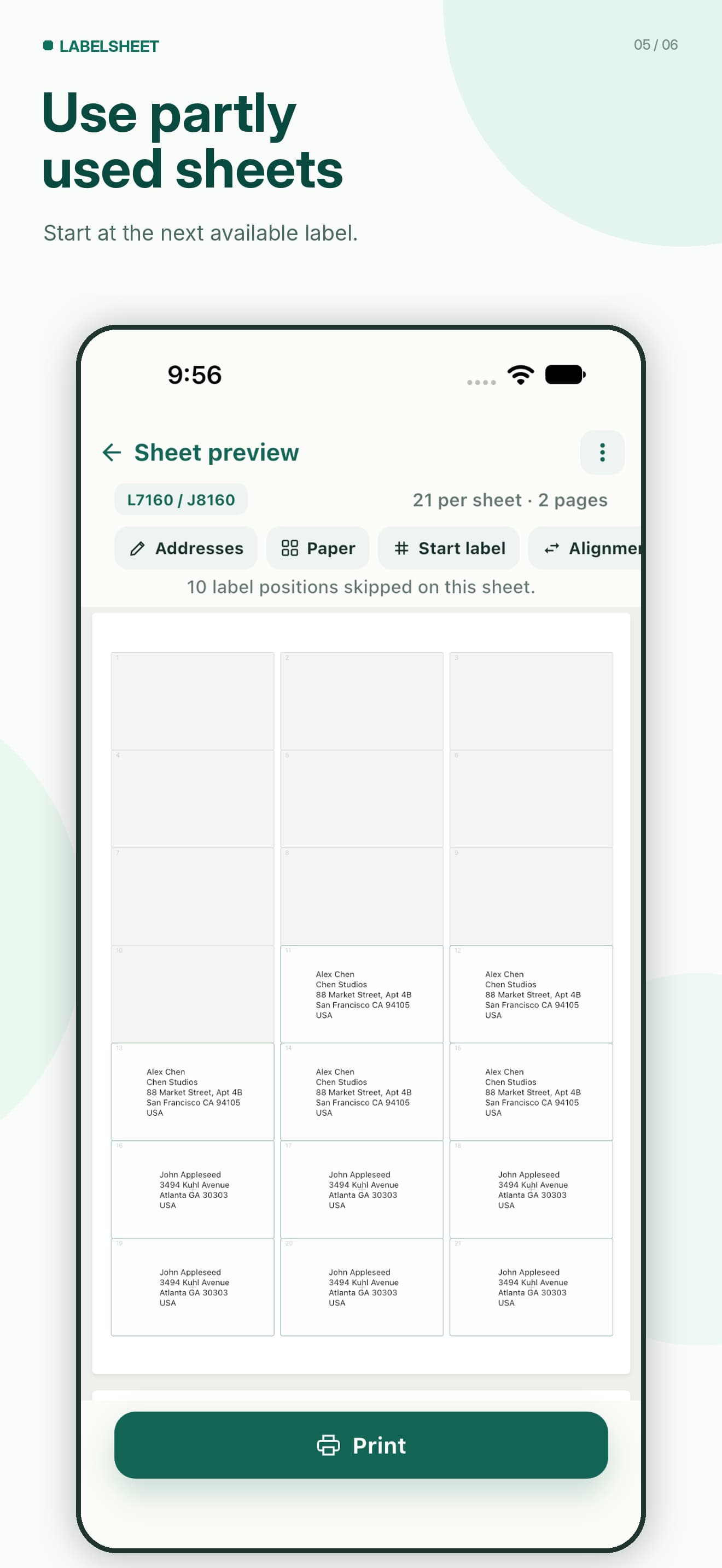
Use partly used sheets
Set Start at so printing begins on the first unused label. Preview skipped positions before you commit ink and stickers.
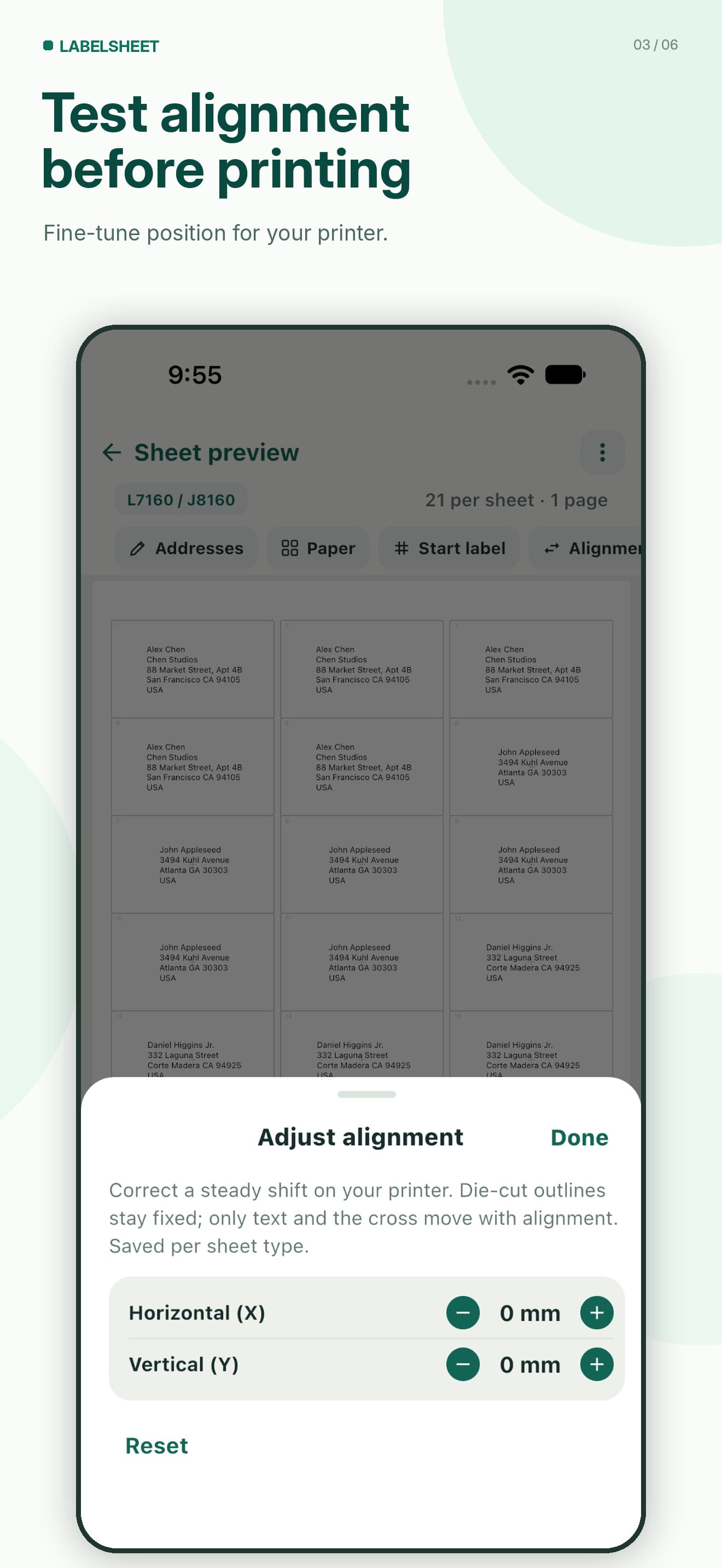
Free alignment test prints
Adjust horizontal and vertical offsets when labels land slightly off. Test prints are free. Offsets are saved per sheet type; they cannot fix the wrong paper code or Fit to Page scaling.
Print, Share PDF, stay local
Print through a compatible AirPrint printer, or Share a PDF for later. No account. Address jobs stay on your device unless you export or share them.
How LabelSheet works
Step 1
Choose a sheet
Search a paper code or create custom measurements for A4 or US Letter stock.
Step 2
Add addresses
Import from Contacts, paste, use CSV, or add addresses — then set copies.
Step 3
Preview and print
Check Sheet preview, adjust Start at or Alignment if needed, then Print or Share.
Pricing: free sheet, then Lifetime
- First eligible single-sheet Print or Share is free.
- After that free allowance, further Print/Share outputs require Lifetime.
- Multi-sheet jobs require Lifetime even if the free sheet is unused.
- Previewing, editing, saving projects, calibration and test prints remain free.
- Lifetime is a one-time purchase — not a subscription. Regional pricing is shown in the App Store.
Label-sheet geometry in a PDF does not eliminate physical printer-feed differences. Confirm template measurements and print at 100% / Actual Size for best results.
Private and local-first
No account. Selected Contacts and address jobs stay on your device for normal use. LabelSheet does not run a Saanvi address-storage cloud for your library.
Read the Privacy Policy.
Guides for common label jobs
Short how-tos for paper codes, Contacts, partial sheets and alignment.
Common label-printing questions
What is LabelSheet?
Does LabelSheet support Avery 5160 and similar codes?
Can I import addresses from Contacts?
Can I use a partially used label sheet?
Is the first sheet free?
Is there a subscription?
Does LabelSheet require an account or cloud storage?
Can I correct alignment if my printer shifts labels?
Where can I get support?
More help: Support · Privacy Policy
Print address labels from your iPhone
Search a paper code, add addresses, preview placement, then print or Share a PDF.
Download on the App Store