

Photo printing made simple
PrintFit
Print photos at the exact size you need
Choose your photos, set their real-world size, fit them onto A4, Letter or other supported paper, then print or save a PDF — directly from your iPhone.
One-time Lifetime unlock · No subscription · No ads · No account
PrintFit product facts
- PrintFit is an iPhone app for printing photos at exact physical sizes.
- Users can set photo dimensions in inches, centimeters or millimeters.
- PrintFit includes presets such as 4×6 in, U.S. passport 2×2 in, and passport/visa 35×45 mm, plus custom sizes.
- PrintFit arranges one or more photos on A4, Letter and other supported paper sizes and can print through AirPrint or create a PDF.
- PrintFit is a free download with a one-time Lifetime unlock. It does not require a subscription, advertising account or cloud photo storage.
- Photos are processed locally in the app.
Built for exact-size photo printing
PrintFit is a photo-printing utility — not a photo editor, collage maker, or print lab. It helps you print what you already have at the size you need.
Exact physical size
Set print dimensions in inches, cm or mm — including sizes like 4×6 and passport photos. PrintFit builds the sheet using the sizes you choose.
Fit more on each page
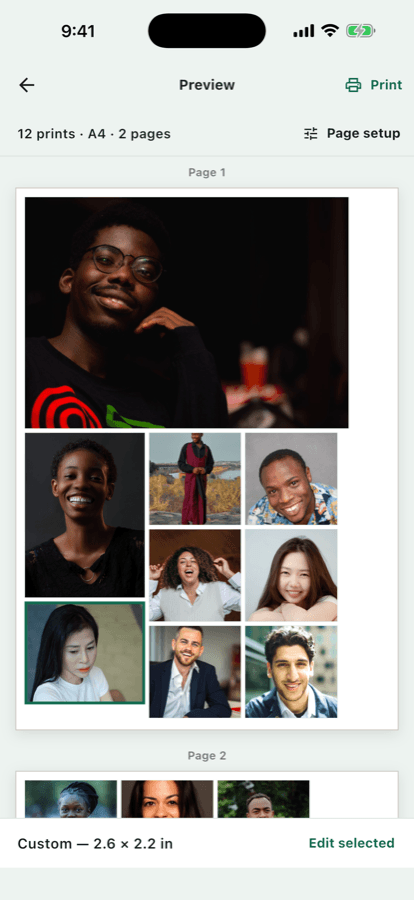
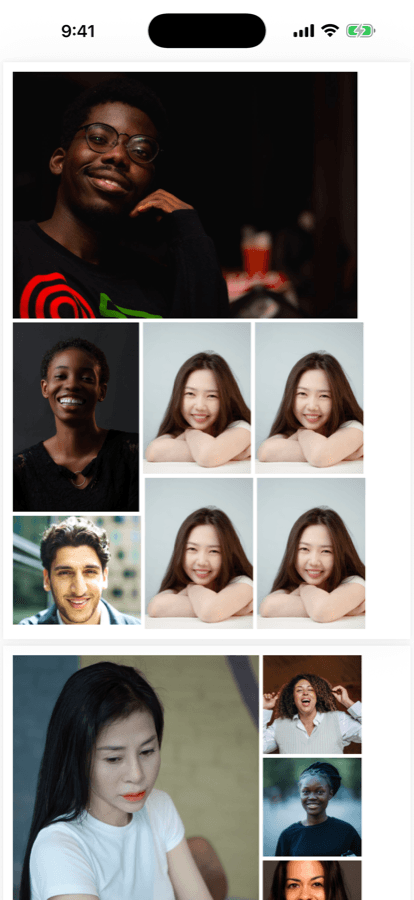
Pack multiple photos onto A4, Letter and other supported paper sizes automatically to reduce wasted paper while keeping each print at its selected size.
Fit or Fill
Use Fit to keep the whole image, or Fill to crop intentionally. You stay in control of how each photo appears in its frame.
Print or PDF
Send to AirPrint, or save and share a PDF. Output is created locally on your iPhone.
Common exact-size print jobs
PrintFit is often used for passport photos, fixed-size prints and packing several copies onto one sheet of paper.
U.S. passport 2×2 in
Choose the U.S. passport preset to print 2×2 inch photos. PrintFit can place multiple copies on one A4 or Letter sheet.
Passport / visa 35×45 mm
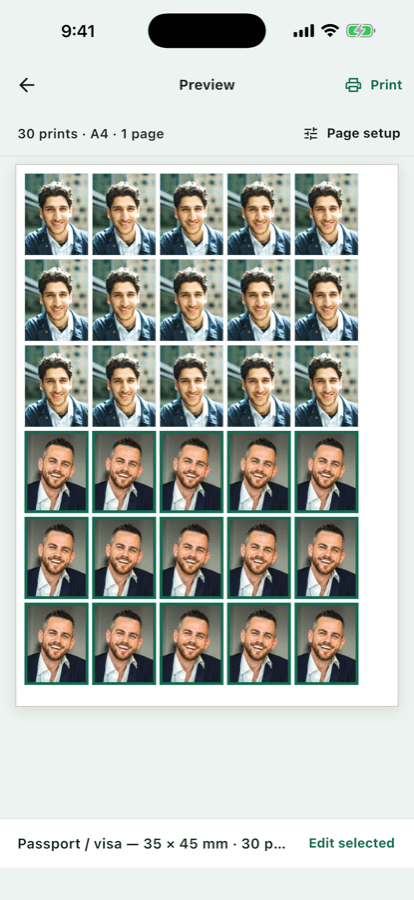
Use the passport/visa preset for 35×45 mm photos commonly needed for many international documents.
4×6 and other photo sizes
Print standard 4×6 in photos, or choose other built-in sizes such as 3.5×5 and 5×7.
Custom exact sizes
Enter a custom width and height in inches, cm or mm when a preset does not match what you need.
Several photos on one page
PrintFit packs multiple photos onto A4, Letter and other supported paper sizes without silently shrinking the sizes you selected.
AirPrint and PDF
Print with AirPrint, or create an exact-size photo PDF locally and share it to Files, Mail or another app.
How it works
Step 1
Choose photos
Pick photos with Apple’s system photo picker.
Step 2
Set size
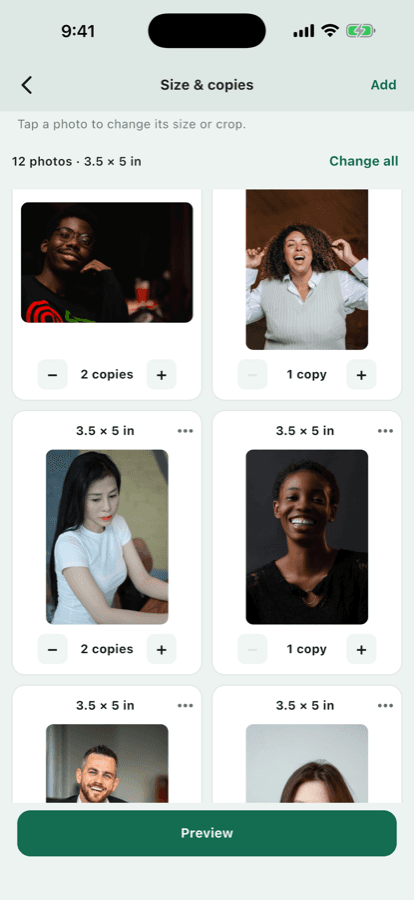
Choose real-world dimensions and how many copies you need.
Step 3
Preview & print
Review the layout, then print or save a PDF.
Exact physical size in inches, cm or mm
Choose common sizes such as 4×6, U.S. passport 2×2 in, passport/visa 35×45 mm, or enter a custom size. PrintFit preserves the requested dimensions in the generated layout.
Final printed size can still vary with printer hardware and print settings outside the app.
Fit more photos on every sheet
PrintFit packs photos onto A4, Letter and other supported paper sizes automatically. When everything cannot fit at the selected sizes, it creates another page instead of silently shrinking your prints.
Print with AirPrint or save a PDF
Preview your sheet, then print with AirPrint or share a PDF to Files, Mail, Messages or another app. The PDF is created locally on your device.
Private and simple
Photos are processed locally. PrintFit does not require an account, does not show ads, and does not use a cloud photo-storage backend.
Files leave the app only when you choose to print or share. Read the Privacy Policy.
One-time Lifetime unlock
PrintFit is free to download. Unlock unlimited printing and PDF sharing with a one-time App Store purchase. No subscription. Pricing is shown in the App Store for your region.
Preview your layout before you unlock printing.
Download on the App StoreFrequently asked questions
What is PrintFit?
What app can print a photo at an exact size on iPhone?
Can I print a 2×2 inch photo on iPhone?
Can I print passport photos from iPhone?
Can I print photos at an exact size?
Does PrintFit support inches, cm and mm?
Which paper sizes are supported?
Can I print more than one photo on a page?
Can I create an exact-size photo PDF?
Can I save a PDF?
Does PrintFit upload my photos?
Does it require an account?
Is PrintFit a subscription?
Does PrintFit work with AirPrint?
What printers work with PrintFit?
Why can physical printer output vary slightly?
Where can I get support?
More help: Support · Privacy Policy