
Job photo reports · iPhone & iPad

JobAlbum
Turn job photos into professional reports.
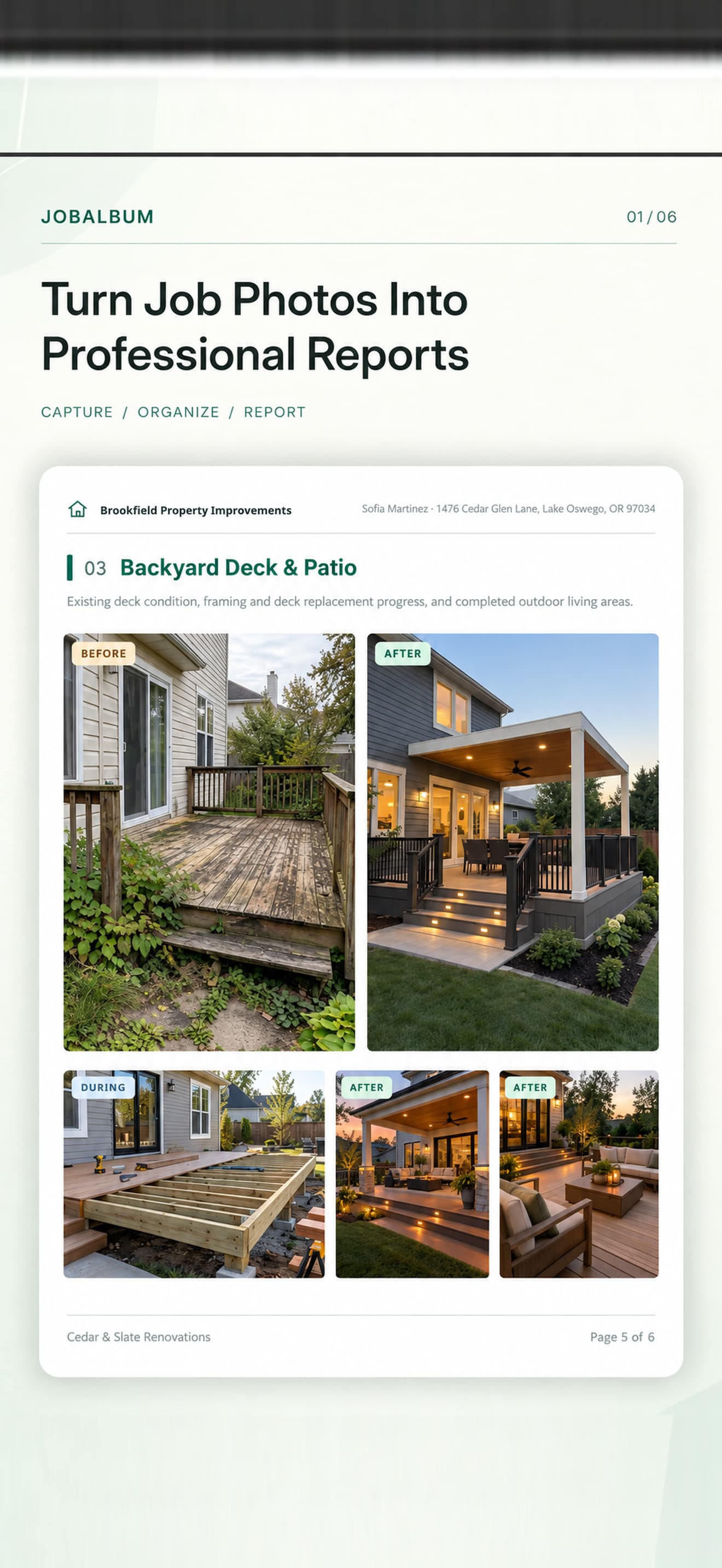
Capture new photos or choose ones you've already taken. Organize Before, During, and After photos by work area, add notes, and create polished PDF reports to share with clients.
3 jobs free · No watermark · No subscription · Works offline · No account
JobAlbum product facts
- JobAlbum is an iPhone and iPad app for contractors and field-service professionals to document jobs with photos and PDF reports.
- Organize photos by work area and stage: Before, During, and After.
- Capture in the app or import photos you already took.
- Add optional notes per photo and brand reports with your business name and logo.
- Projects and photos are stored locally on the device — no JobAlbum cloud storage.
- Free download with three jobs included; Lifetime unlock for unlimited jobs. No subscription.
Every stage of the job. One clear report.
JobAlbum helps contractors, remodelers, handymen, cleaners, installers and property-maintenance professionals document completed and ongoing work. Instead of sending an unorganized camera roll, you can share one report that shows what each area looked like before work, during progress, and after completion — on iPhone and iPad.
Built for the way you document jobs
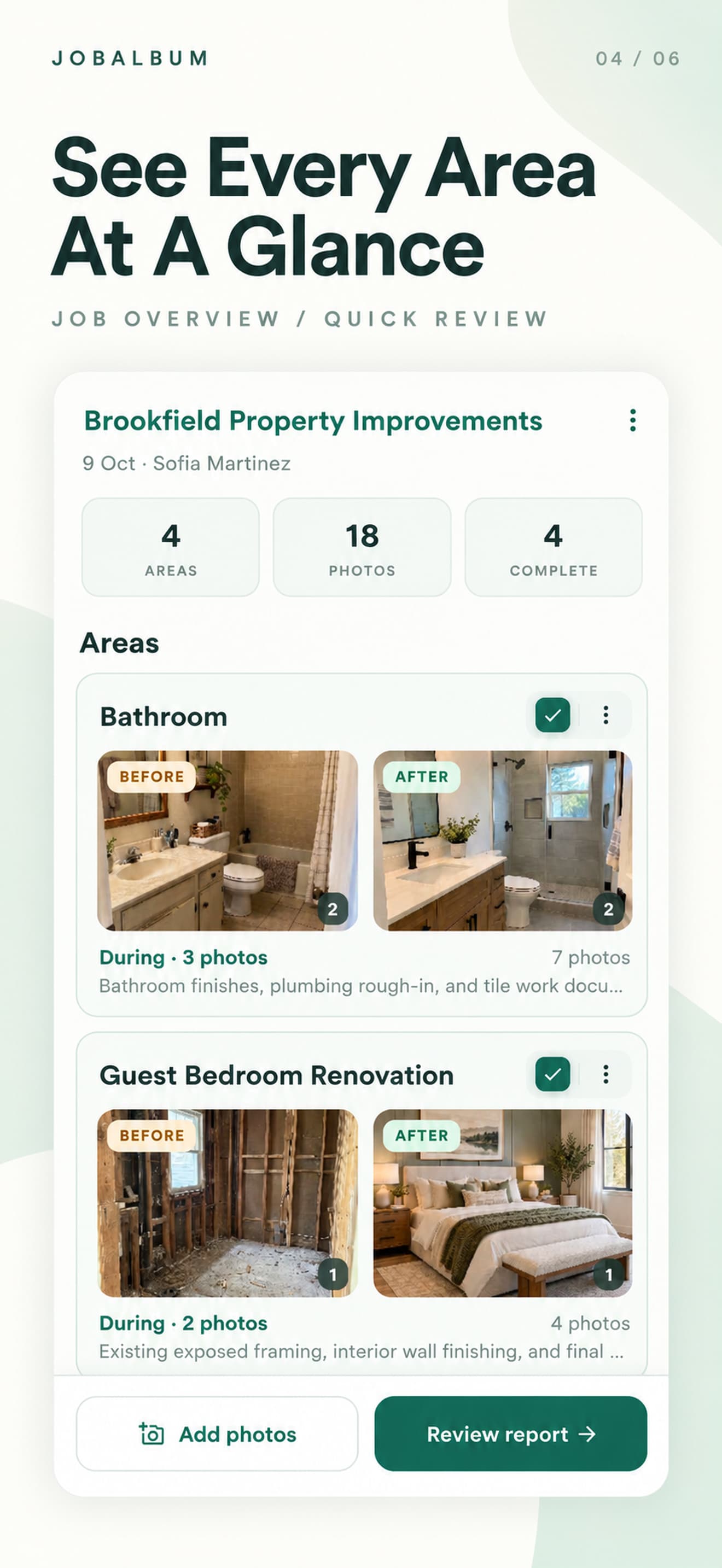
Organize photos by work area
Kitchen, bathroom, bedroom, exterior and other areas can belong to the same job. Each area keeps its own Before, During and After photos.
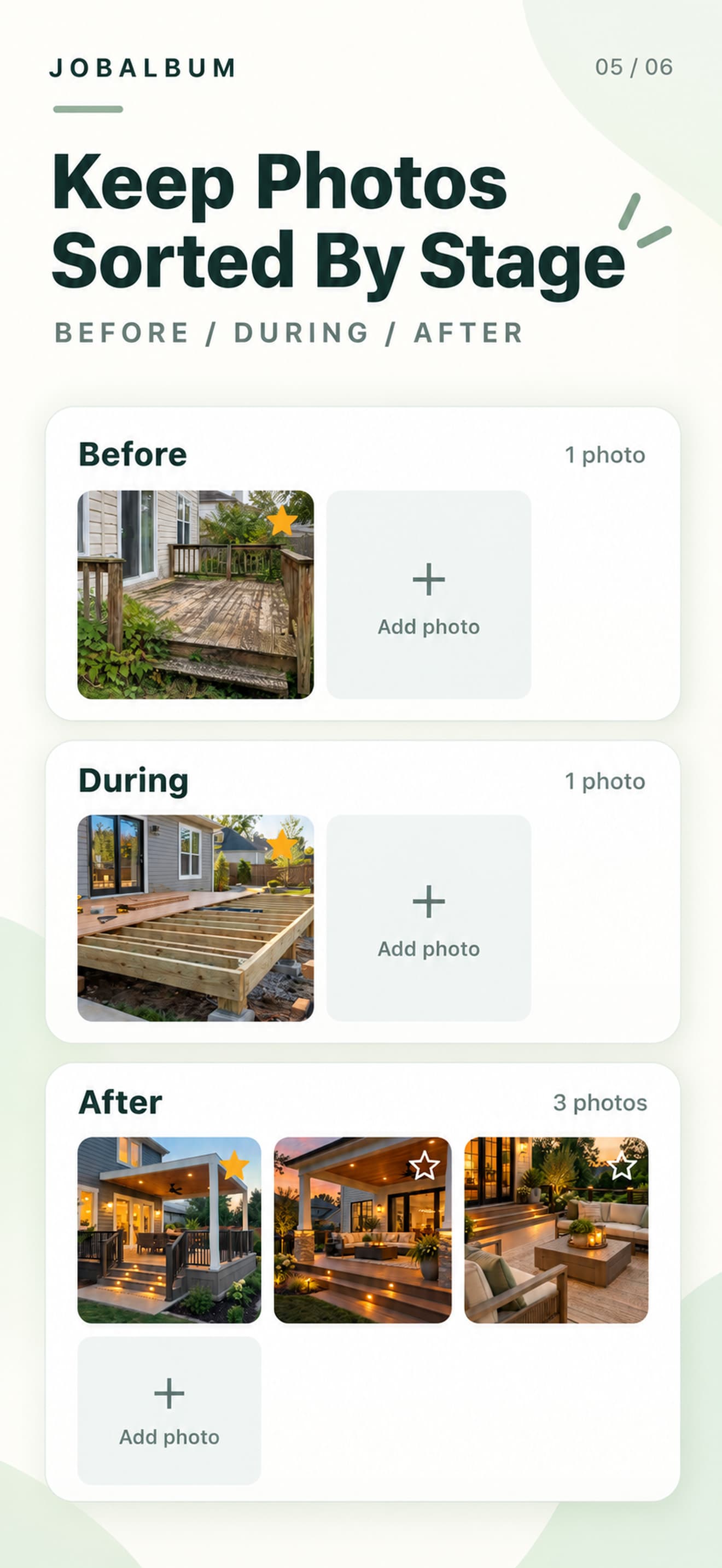
Before, During and After
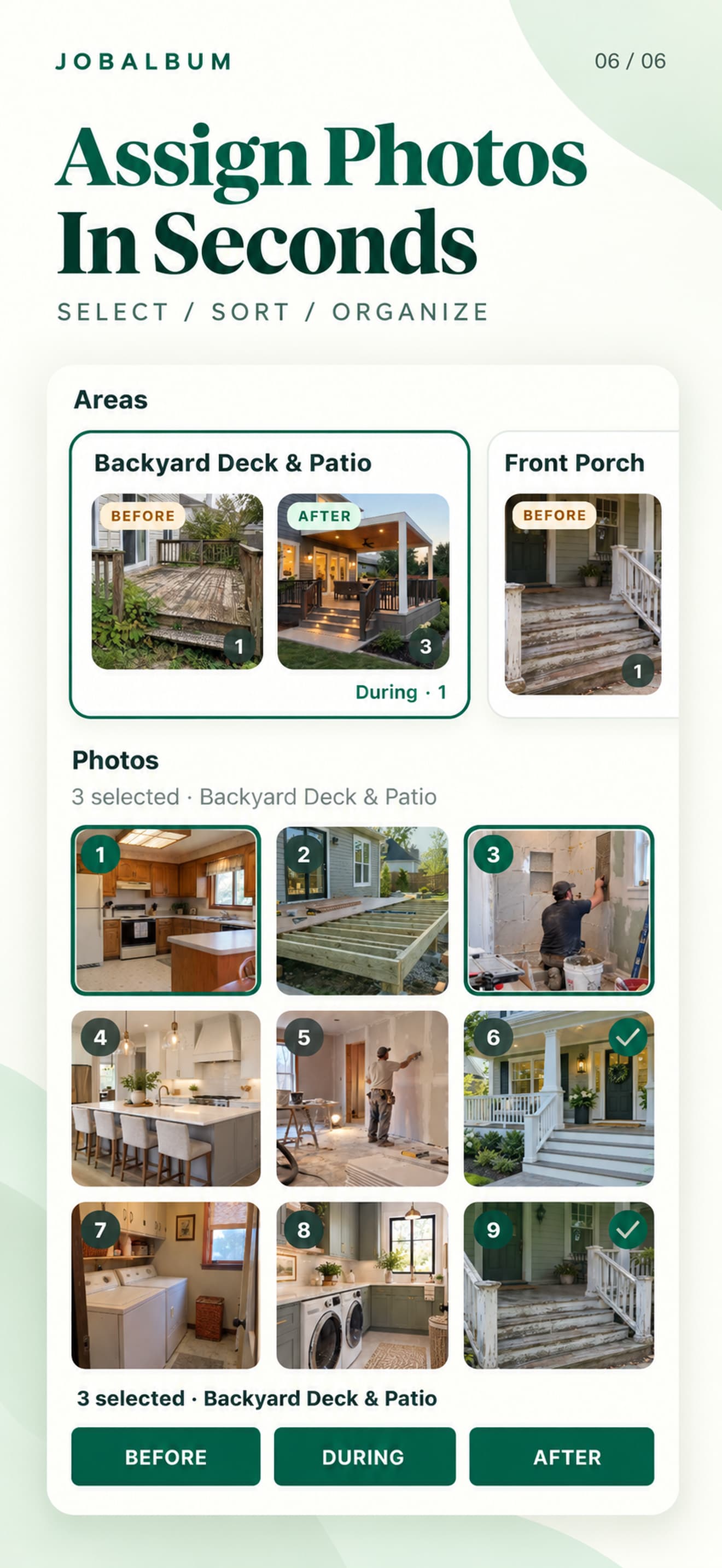
Document each stage clearly. Capture new photos in the app or assign imported photos to the stage you need.
Already took the photos?
Use the system photo picker to add existing pictures — you do not have to retake everything inside JobAlbum.
Add notes on site
Optional notes on individual photos help explain what the client is seeing. JobAlbum does not auto-generate descriptions.
Professional Before & After reports
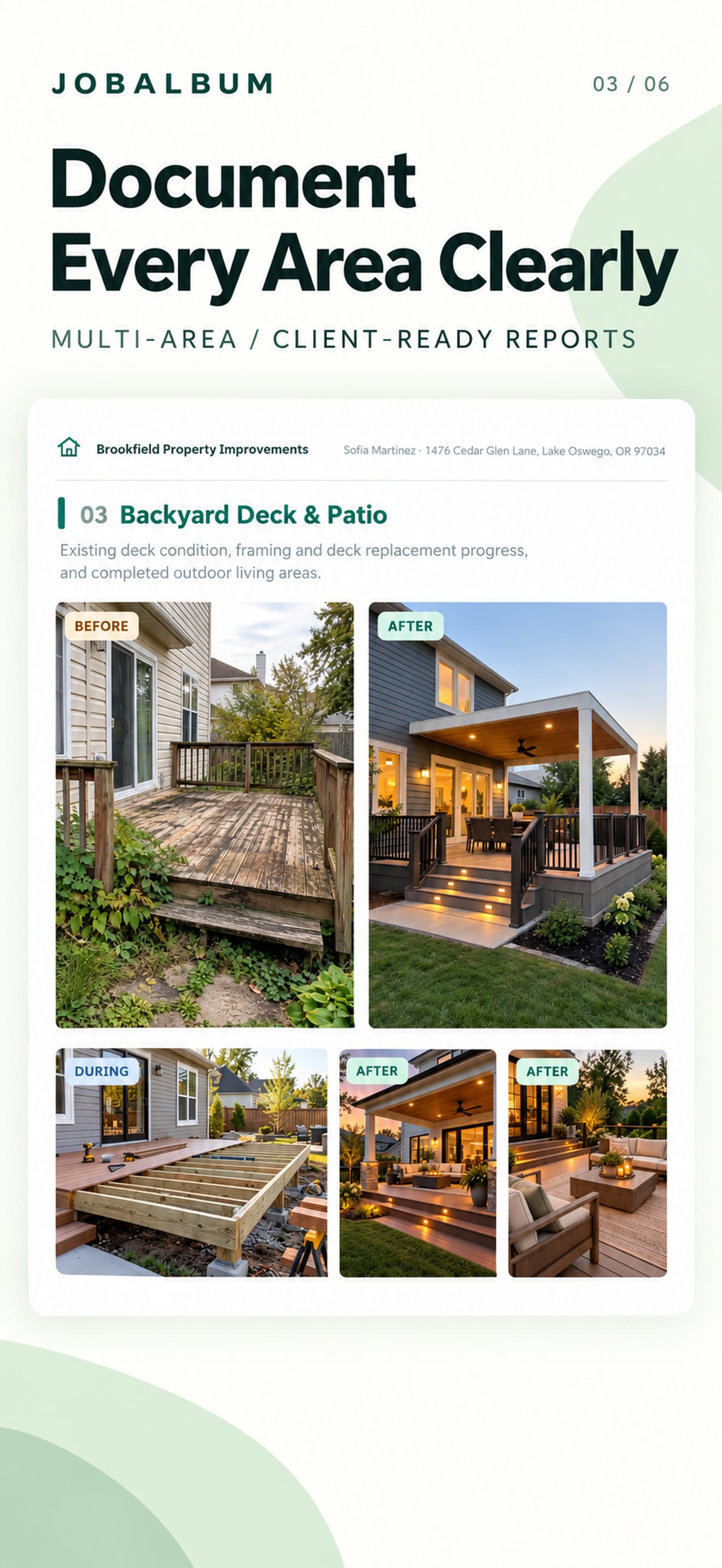
Reports group content by work area, highlight primary Before/After pairs, and include progress photos when you choose.
Branded PDFs your clients can understand
Set your business name and logo, preview the report, then share a PDF through AirPrint, Mail, Files or other iOS share destinations.
How it works
Step 1
Create a job
Name your project and organize it into work areas.
Step 2
Capture or select photos
Add Before, During and After photos, with optional notes.
Step 3
Preview and share
Generate a professional PDF and share it with your client.
Made for iPhone and iPad.
Capture and organize job photos on iPhone. Review larger projects and PDF reports on iPad. JobAlbum is one app with the same core features on both devices.
A Lifetime purchase is tied to your Apple Account under Apple's StoreKit rules — test restore on your devices before you rely on it in the field.
Important: Project data does not automatically sync between iPhone and iPad. Each device keeps its own local projects unless you export and move files yourself.
Your job photos stay under your control.
- No account required.
- Photos and project information are processed locally.
- No JobAlbum-operated cloud storage for project photos.
- No ads or cross-app tracking in the release app.
- You choose when to share an exported PDF.
Uninstalling the app removes local JobAlbum data from that device. We do not guarantee recovery after deletion or device failure. Read the Privacy Policy.
Start free. Pay once when you're ready.
Pricing is shown in the App Store for your region. Intended US Lifetime price: $39.99.
Free
- 3 jobs
- Before, During and After photos
- Multiple work areas
- Notes
- Professional PDF reports
- No watermark
JobAlbum Lifetime
- Unlimited jobs
- All reporting features
- Business branding
- PDF export
- One-time purchase
- No subscription
Jobs you already created stay accessible, editable and exportable after you reach the free-job limit.
Frequently asked questions
What is JobAlbum?
Can I create Before and After photo reports on iPhone?
Does JobAlbum work on iPad?
Can I import photos I've already taken?
Can I organize multiple rooms or work areas in one job?
Can I include During/progress photos?
Can I add notes to photographs?
Can I add my company logo to the report?
Can I save and share a PDF report?
Is JobAlbum free?
Is JobAlbum a subscription?
Does JobAlbum require an account?
Does JobAlbum upload my job photos?
Do my projects automatically sync between iPhone and iPad?
What happens when I reach three free jobs?
How do I restore my Lifetime purchase?
What happens to my projects if I delete the app?
More help: Support · Privacy Policy
Make every job easier to show.
Keep your job photos organized, document the progress, and share a professional report your client can understand.
Download on the App Store